

MapQuest… welcome to the resistance.
I tried it out but TBH it’s not a good UI, at least on a desktop browser. There’s a sidebar that takes up 20% of the screen that you can’t close or collapse, if you click on a business or something, it appears in the left sidebar but then you can’t get rid of it, and there are several pop-up floating tiles that you can’t close covering the lower part of the map.
More importantly, I can’t find a Layers icon or any way to turn on this Surveillance layer or any other layer. No help button to find out how to use it. I searched for their help page separately and there’s nothing on it about layers at all. So maybe this only applies to their phone app, which seems like a weird choice.
I think it’s great what they’re doing with this surveillance layer (if I could find it) and the not renaming stuff, but for now Open Street Map has a much better interface.
Not available on laptop, apparently. Only the mobile version? That’s what search said.
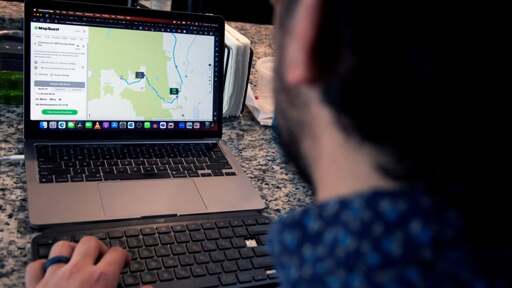
A photo at the top of the article shows MapQuest being used on a laptop. If MapQuest’s surveillance layer is not available on a laptop, the photo accompanying the article seems rather misleading.
welcome to the resistance.
Embrace , Extend, Extinguish.
Ok this is awesome. Good for them! I just wish their map search was as good as Google’s. But I’m willing to use them for navigation anyway.
Please don’t. Just use an openstreetmaps application instead. CoMaps is pretty solid. Jumping from one private/closed source company to another is not really the best route towards privacy.
Good point
Agree 100% and I adore comaps and frantically map in my area but… we need to be real that OSM is still functionally beta for many locations. 1000% use pure OSM if you can and contribute to make the map functional, but as far as setting expectitions know that even if the map isn’t ready where you live today, it may not be that way for long.
And yes, I am jealous of people who can use comaps seamlessly. I often have to use google to find locations then drop them into comaps since our road network is reliable but POIs are not.
For hiking, cycling etc I love CoMaps and similar apps. But for driving the most important thing is missing and basically impossible to get from free sources: traffic and roadblocks. Those are the main reason for me to use a navigation app in the first place; most routes I drive a easy enough, but knowing the route doesn’t equal knowing the current circumstances along the route.
I’m not sure everywhere, but I can say that any place that has a population of about 5000+ in my area is fairly well mapped, enough to mean that I haven’t used google maps in about 2 years. The less populous areas aren’t great, but I have at the very least never had issues with highways so it usually gets you close enough that you can get by.